

How it works
With Architect Page Links, you create a single URL that routes visitors to different landing pages based on the split you define. For example:- 50/50 split — half of traffic goes to Page A, half goes to Page B
- Custom split — send 70% to one page and 30% to another
- Multi-variant — split traffic evenly across three or more pages
You can also split traffic between an Architect landing page and an external URL (such as your existing website), so you can test your Architect page against your current landing page.
Set up traffic routing
Navigate to Page Links
Go to Pages in the left sidebar, select the page group you want to test, and click the Page Links tab.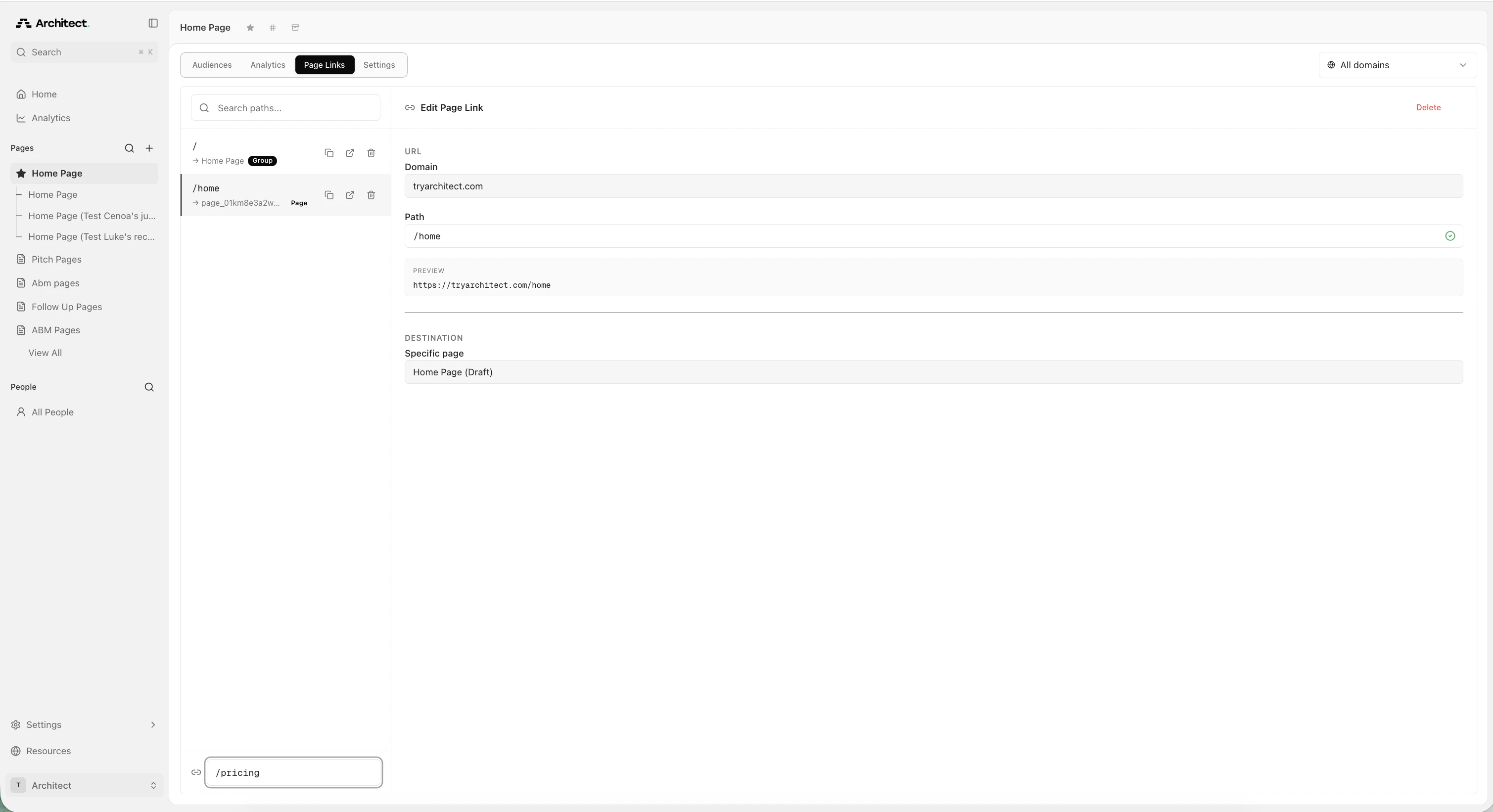
Create a new page link
Click + Add page link at the bottom of the links list. A new page link panel opens on the right.Set the following: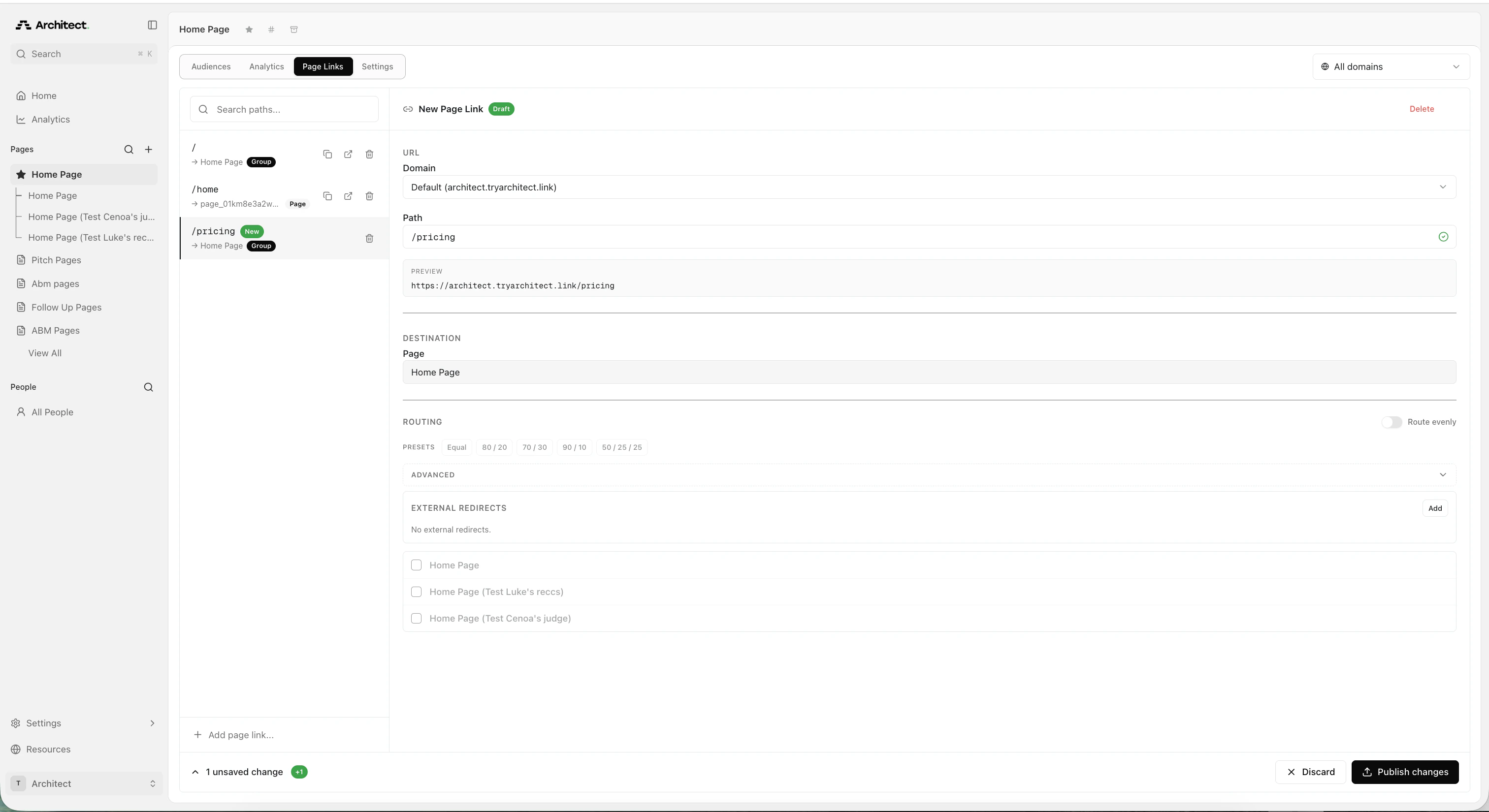
- Domain — choose your connected domain or use the default Architect domain
- Path — enter the URL path for this link (for example,
/pricing)
Select pages and set routing
Under Routing, select the pages you want to include in the test. You have two options:Option A: Route evenlyToggle Route evenly on to split traffic equally across all published pages in the group. If you have three pages, each gets 33.3% of traffic.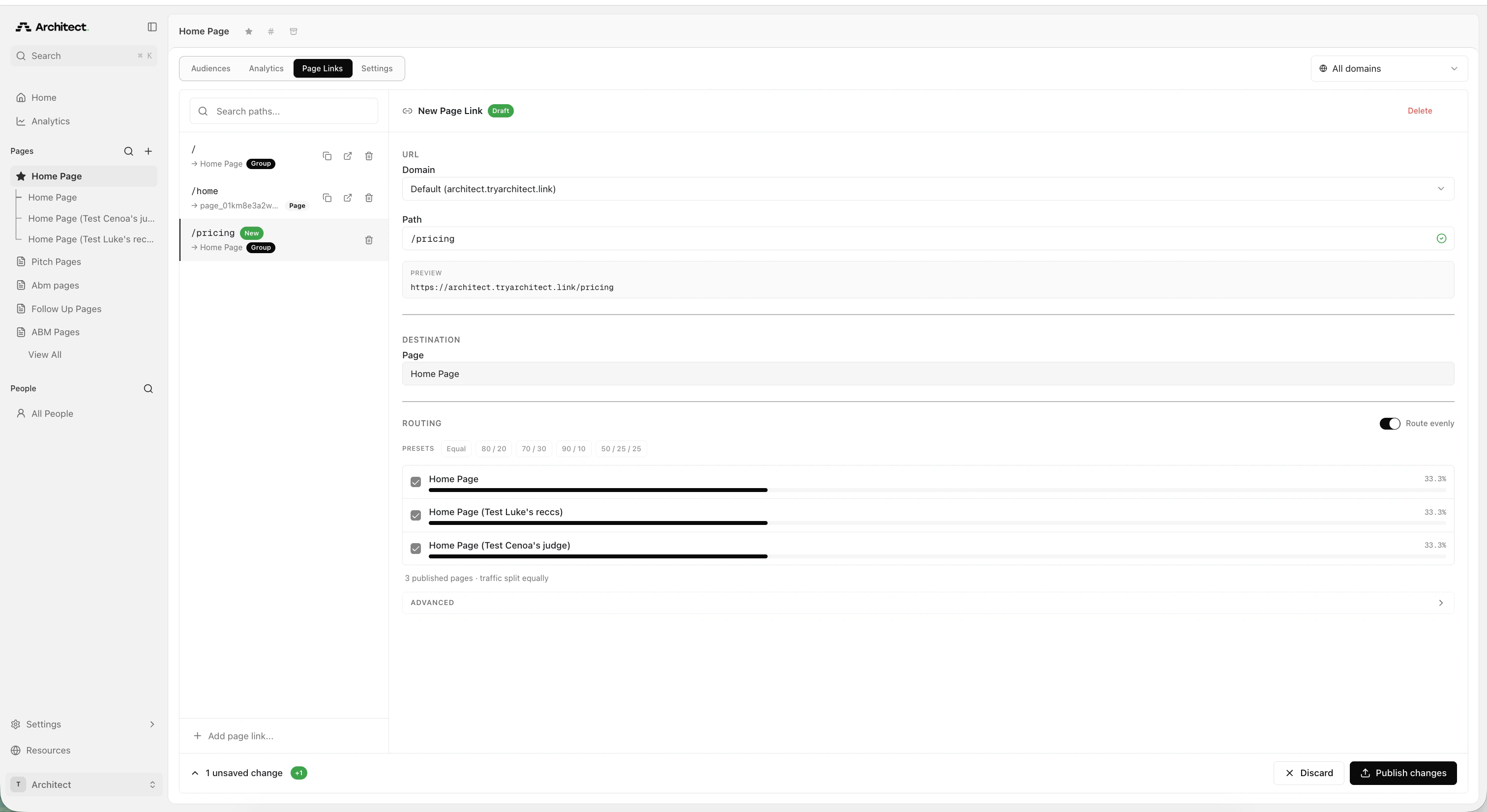
(Optional) Add an external redirect
If you want to test your Architect page against your existing website, expand the Advanced section and add an external redirect under External Redirects: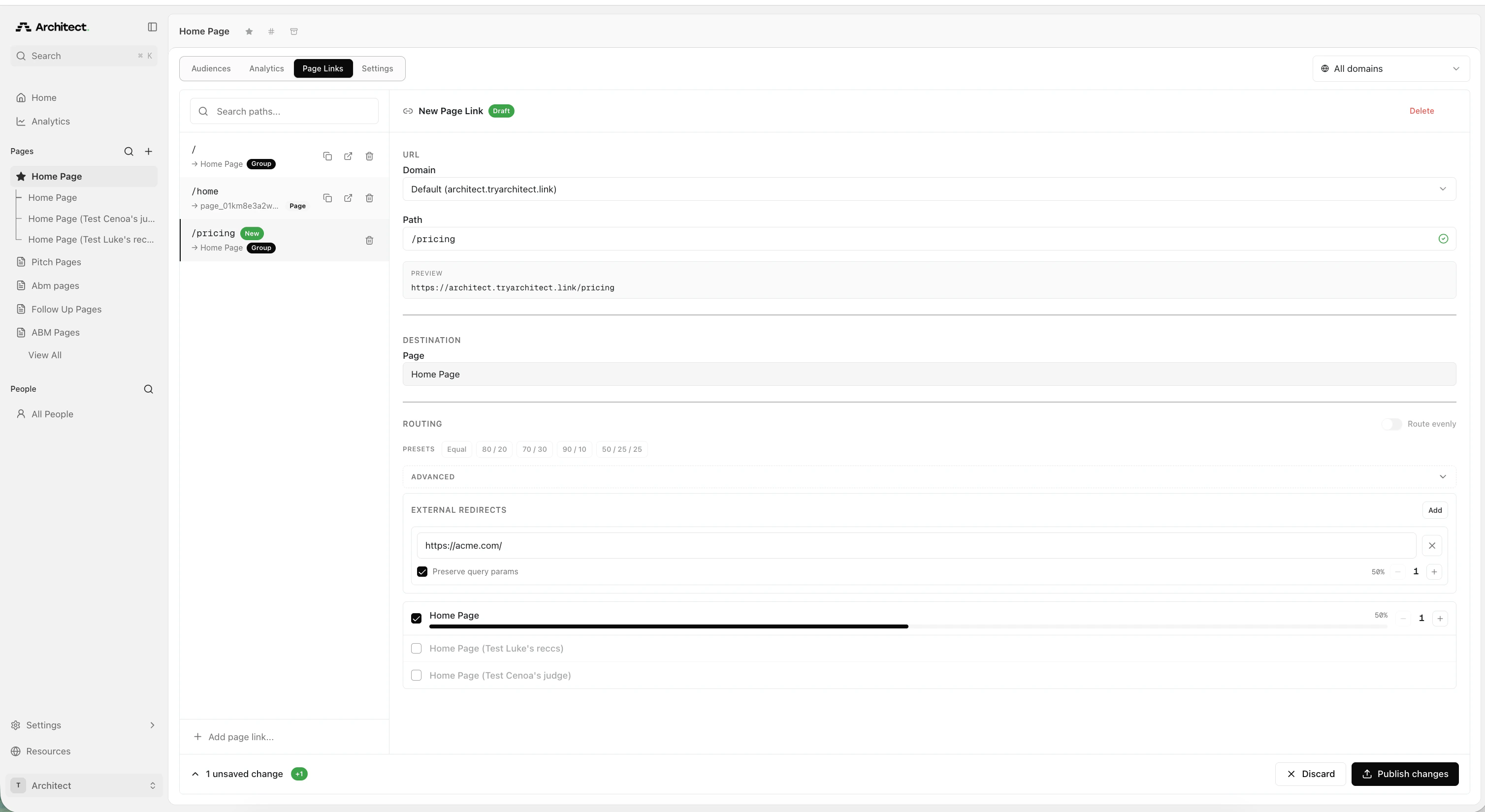
- Click Add next to External Redirects
- Enter the URL of your existing page (for example,
https://acme.com/) - Enable Preserve query params if you need to pass UTM parameters or tracking data through to the external URL
- Adjust the traffic split between your Architect page and the external URL using the
+and-controls
Tips for running A/B tests
- Start with a 50/50 split to get statistically significant results faster.
- Run the test for at least 2 weeks before drawing conclusions — ad campaigns need time to optimize.
- Change one variable at a time (headline, layout, CTA) so you can attribute performance differences to a specific change.
- Monitor results in Architect Analytics to track page views and conversions for each variant.
- Use the same page link URL throughout the test. Changing the URL mid-test resets campaign learning.
FAQ
Will tracking work for external links?
Will tracking work for external links?
Yes. Architect passes all UTM parameters to both pages. As long as you have the script for tracking conversions set up on your page, this will work.